
For most people the hardest thing to do, when breaking up with Google, is to move away from YouTube.
You can replace Google Search with another search engine. Replacing YouTube is a bit trickier when the people you want to watch are still on YouTube.
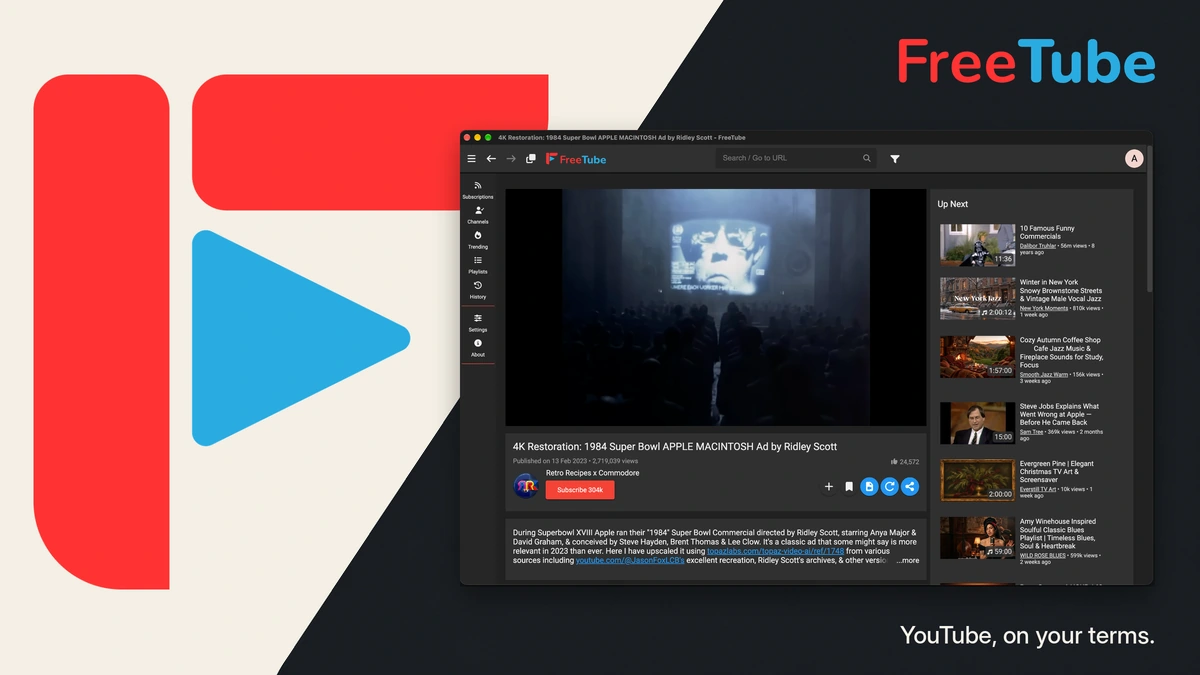
One way around this is FreeTube, a free and open source YouTube player for macOS, Windows and Linux. You can watch videos without YouTube ads, subscribe to channels and save videos to playlists. No Google account required.
I originally wrote about FreeTube in December 2018, when video resolution was limited to 720p. Eight years later, the app is still in beta (currently 0.26.0 Beta), but a lot has changed.
Affiliate promotion. FSMdotCOM may earn a commission.


Testing this version on an Apple Silicon Mac, the first thing I got when searching for a video was a Local API error (HTTP 403). Pasting a YouTube URL into FreeTube worked, though, and so did 4K playback at 60 fps. I could also seek to parts of the video that hadn’t been buffered yet. Search started working again later, for no apparent reason.
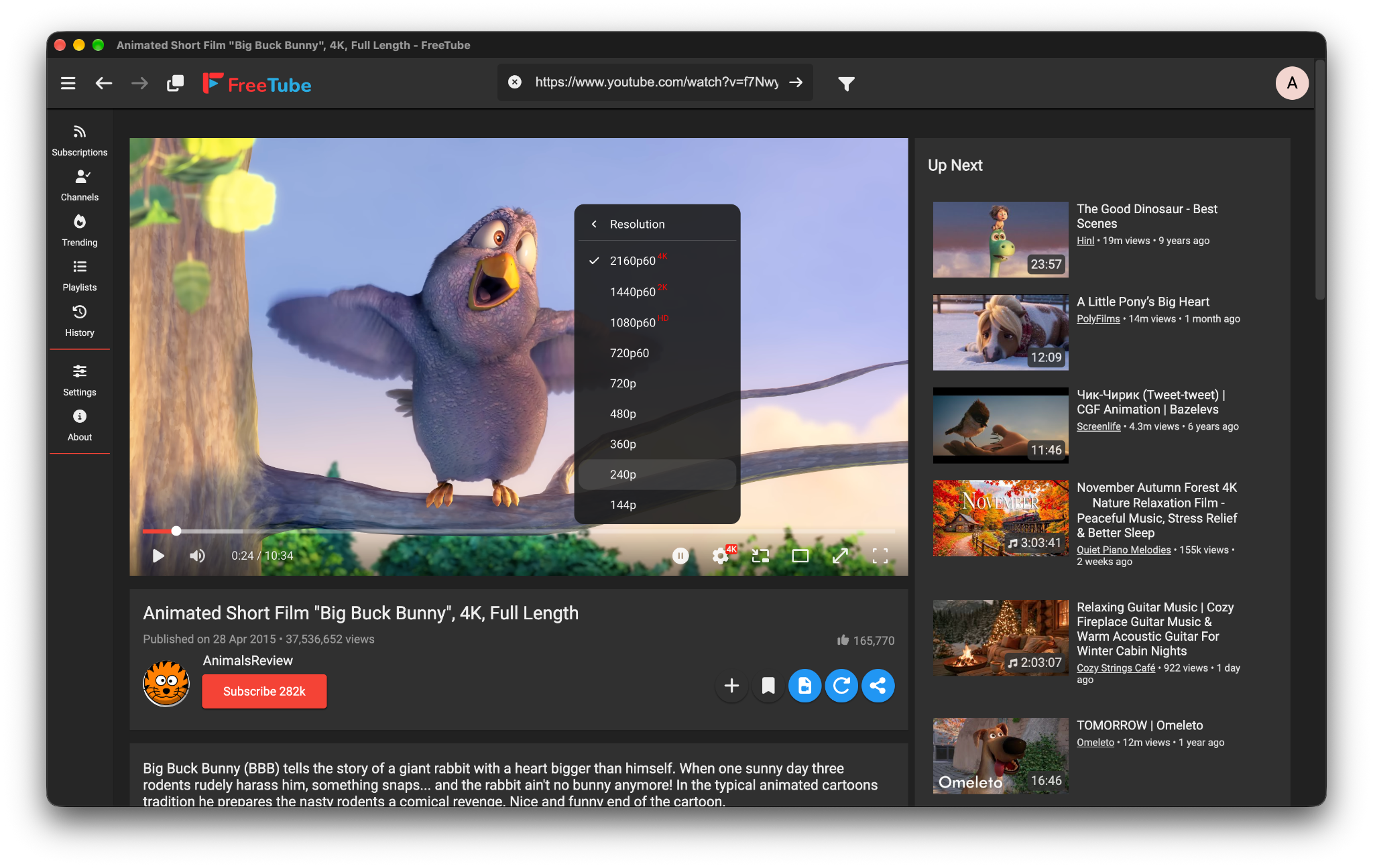
Keep in mind that FreeTube relies on extracting data from YouTube. Google makes changes, things break, the developers have to figure out how to make them work again. Sometimes features disappear altogether. If you’re an old FreeTube user looking for the download button, it was removed in version 0.24.0 Beta. Use a dedicated tool like Parabolic for that.
Getting your subscriptions out of YouTube
If you’re already subscribed to a bunch of channels on YouTube, you don’t have to go through the process of subscribing to each one again. Export your subscriptions using Google Takeout and import the subscriptions.csv file into FreeTube (Settings > Data > Import Subscriptions). You can find more detailed instructions here.
You can also create profiles to organize your subscriptions. A feed for music, one for tech, another one for whatever else you’re into. Just keep in mind that profiles are for organizing channels, not separating your viewing history or playlists.
There’s one setting in particular you might want to enable if you have a lot of subscriptions. As I’ve mentioned before on FSM, you can use RSS with YouTube.
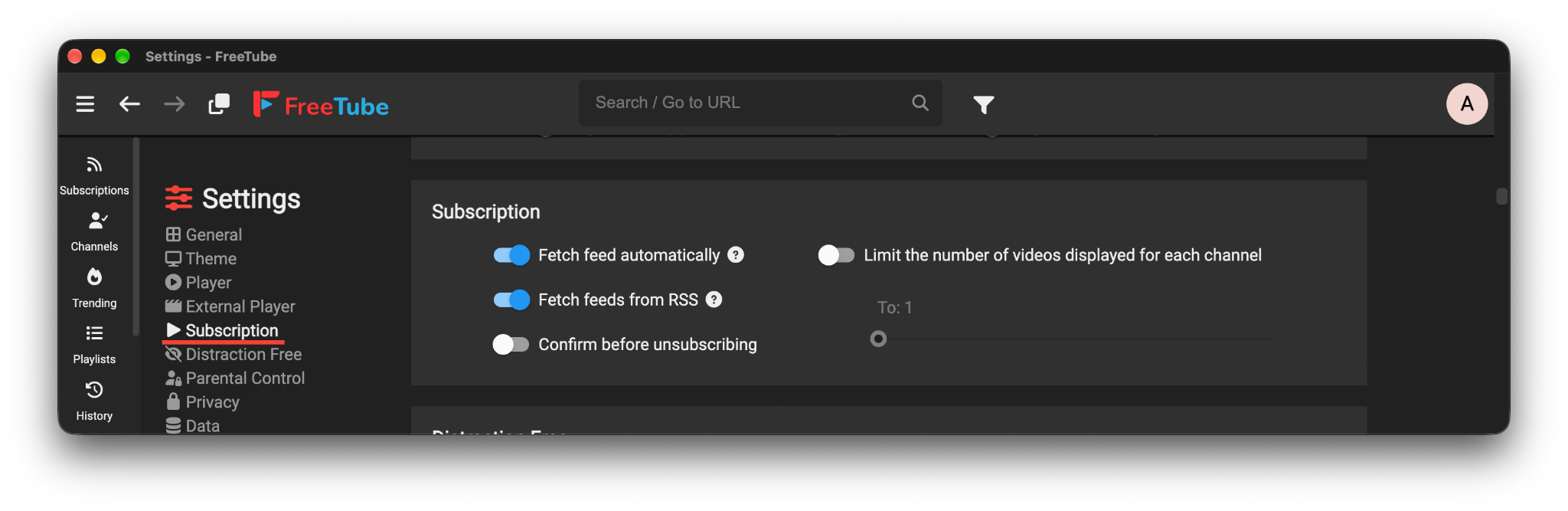
Go to Settings > Subscription and enable Fetch Feeds from RSS. This way FreeTube can populate your feed without having to load the individual channel pages. According to the documentation, it also helps you avoid hitting YouTube’s request limit when fetching subscriptions. The downside is that RSS doesn’t provide some of the information you get from the regular feed (video duration, livestream status etc.).
RSS fetching worked during testing, as did subscribing to channels, browsing their pages and playing videos from the feed.
There’s more to FreeTube than getting rid of ads
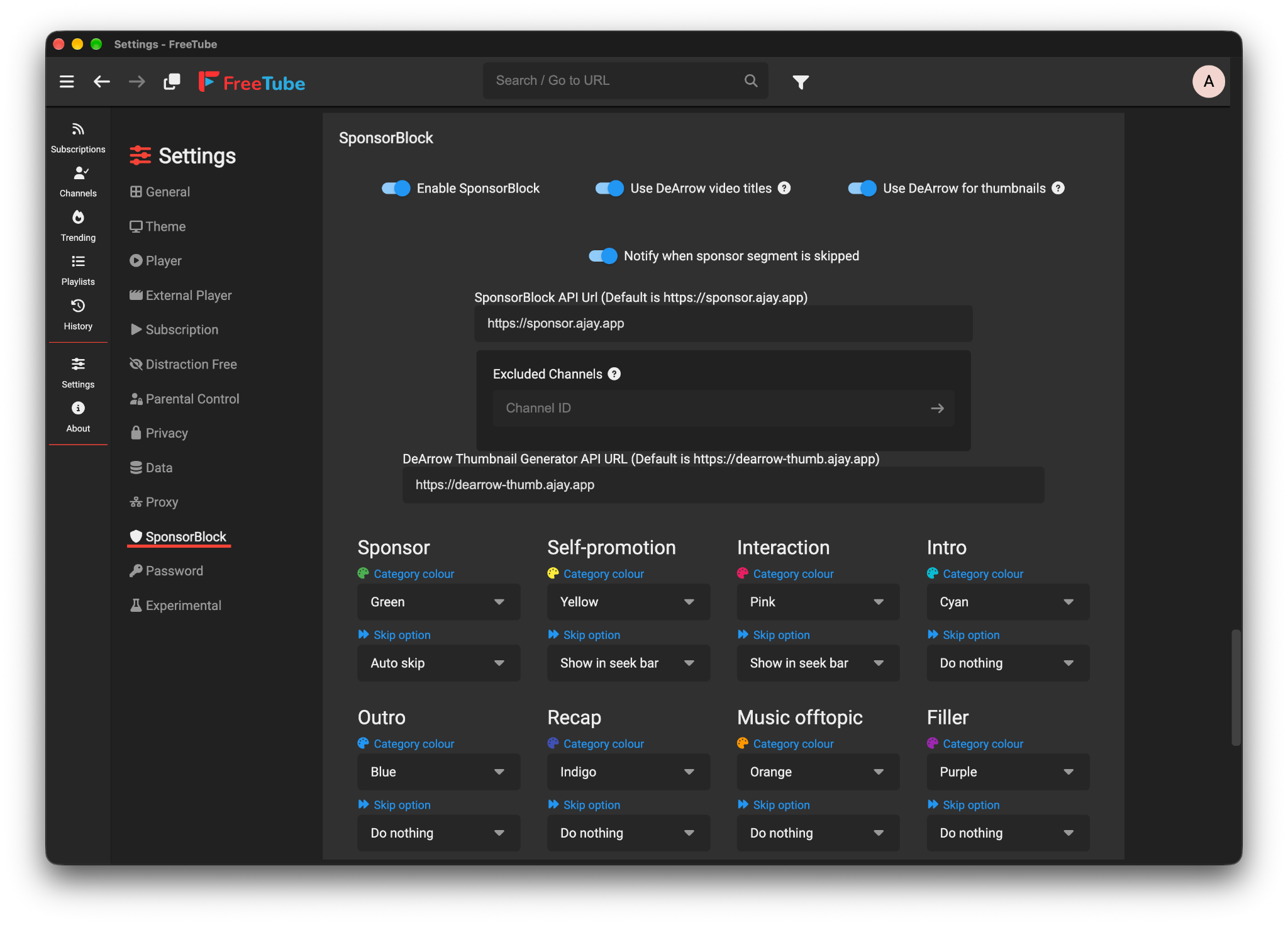
FreeTube comes with SponsorBlock and DeArrow built in. Neither is enabled by default.
SponsorBlock takes care of something your regular ad blocker can’t: sponsorships that are part of the video itself. As long as someone has submitted the timestamps, you can skip those segments automatically. You can do the same with intros, outros, the obligatory reminders to like and subscribe, and so on. Or just mark them on the seek bar and skip them yourself.
DeArrow attempts to do something about clickbait by replacing titles and thumbnails with alternatives submitted by the community. That last bit is important. A title or thumbnail submitted by another user isn’t necessarily more accurate than the original. Luckily you can switch between the two.
Both integrations worked during testing. Sponsorships were skipped automatically, while self promotion was marked on the seek bar, in accordance with the default SponsorBlock settings. DeArrow replaced titles and thumbnails and let me switch back to the originals.
Now go to Settings > Distraction Free. There’s quite a bit you can get rid of here.
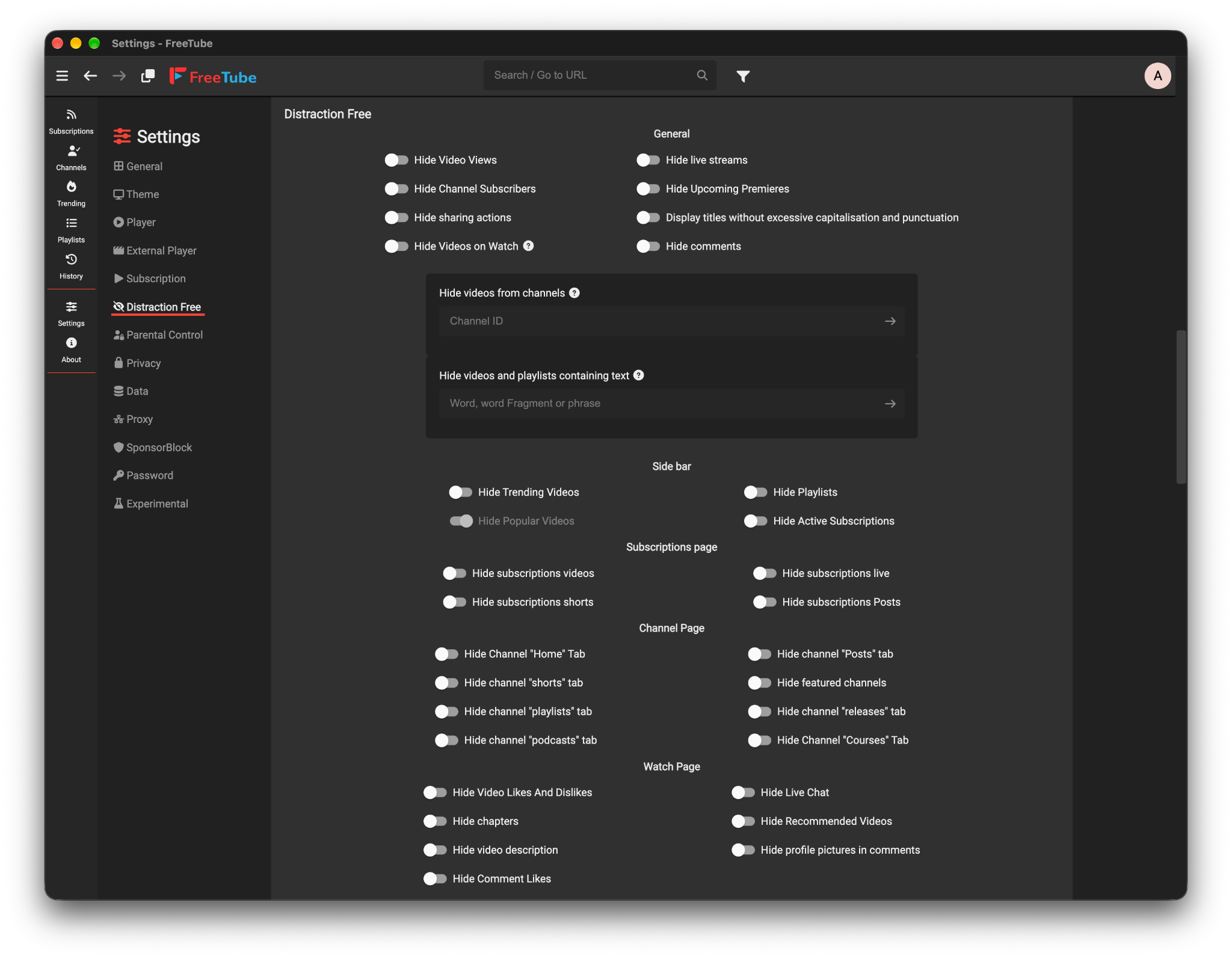
You can hide Shorts, recommended videos, comments, view counts, trending videos and even filter videos based on words in their titles. If all you want from YouTube is a feed of uploads from the channels you’ve subscribed to, you can configure FreeTube accordingly.
There’s also support for external players like MPV, VLC and IINA. Speaking of MPV, here’s how to use it with yt-dlp.
How private is FreeTube?
Your subscriptions, playlists, watch history and search history are stored on your computer. On a Mac, take a look inside ~/Library/Application Support/FreeTube/. You can open the database files in a text editor. They’re not encrypted by FreeTube. If you’re on Windows or Linux, check here for their location.
By default, FreeTube uses its Local API to access YouTube directly. So while you’re no longer using a Google account to watch videos, Google can still see your IP address and the requests you make to its servers.
You can use an Invidious instance instead, but now you’re trusting whoever runs that instance (unless you’re running it yourself). Depending on your settings, video requests may still go directly to Google. FreeTube also supports an externally configured proxy, including Tor. Read the project’s privacy documentation before changing these settings.
There’s another thing worth pointing out. FreeTube’s description says it prevents Google from tracking you using cookies and JavaScript. That doesn’t mean there’s no Google JavaScript running in FreeTube. In fact, the app uses Google’s BotGuard code to generate proof of origin tokens for video playback. It runs that code in a separate, sandboxed session in memory, away from your FreeTube data, and clears the session between token generation operations. FreeTube also strips tracking cookies from responses to certain YouTube URLs, while setting consent cookies of its own.
If you’re curious, take a look at the implementation.
One more thing. When you enable SponsorBlock or DeArrow, you’re making requests to another service. FreeTube uses the first 16 bits of a hash of the video ID when fetching SponsorBlock segments and DeArrow branding data. The DeArrow thumbnail generator, however, can receive the full video ID. And by default, the app checks GitHub for updates.
FreeTube is a way to use YouTube with more control over what you see and what you share with Google. It doesn’t make you anonymous to YouTube.
FreeTube is released under the GNU AGPL 3.0 license. Version 0.26.0 Beta requires macOS 13 or later, Windows 10 or later, or a supported Linux distribution. For more info check out the FreeTube website and download the app from the project’s GitHub page.
ALSO READ: FOSS Front-Ends and Alternatives for Twitter, Instagram, Reddit, YouTube, TikTok and more.