

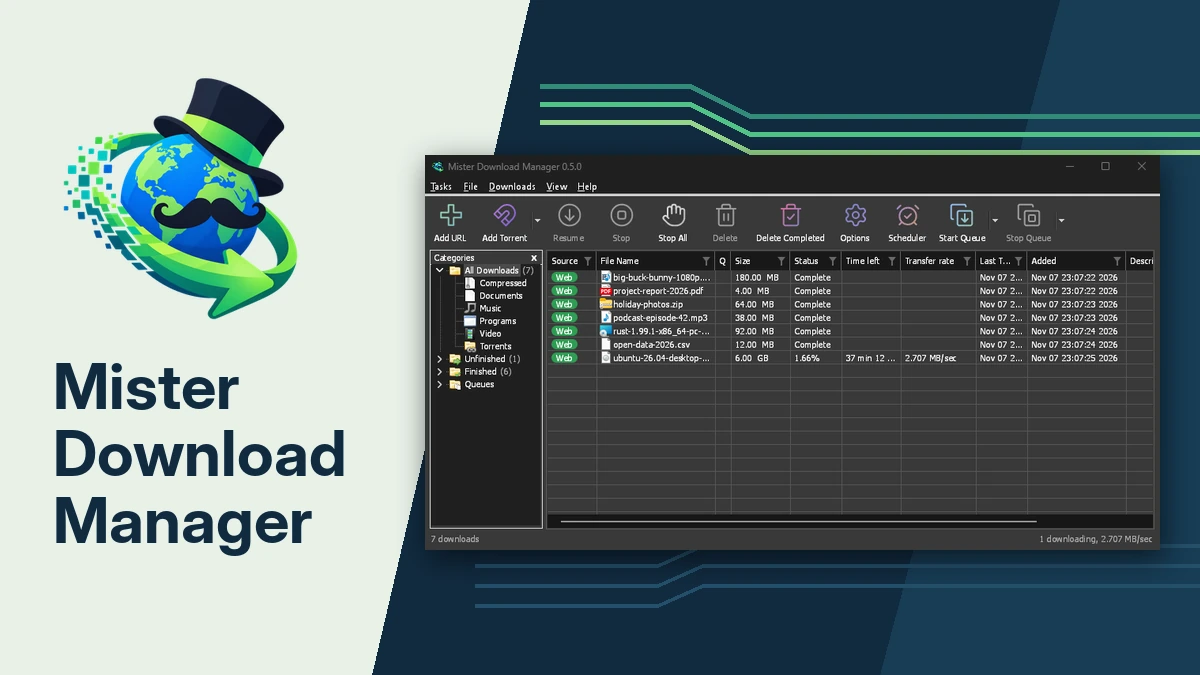
Remember Internet Download Manager (IDM)? Well, it’s still around. And if you’ve been looking for a free and open source alternative to it, check out Mister Download Manager (MDM).
Anyone who’s used IDM will probably feel right at home looking at MDM. The resemblance is intentional, but the app was written from scratch in Rust and is available for Windows, Linux and macOS (the Mac builds are still experimental).
And this is where it gets interesting. MDM also has a BitTorrent client built into it and makes use of two tools we’ve covered here on FSM before: yt-dlp and gallery-dl.
Downloading files with MDM
MDM has its own download engine. It splits a file into multiple segments and downloads them simultaneously, writing each segment directly into the partial file on your disk. When one connection finishes its segment, it can take over part of another connection’s unfinished work.
By default, MDM uses up to eight connections per file. You can increase that to 32 (or unlock a maximum of 128 in the settings). That doesn’t mean you should set everything to 128. How much you gain depends on your connection, the server and whether it supports downloading parts of a file independently.
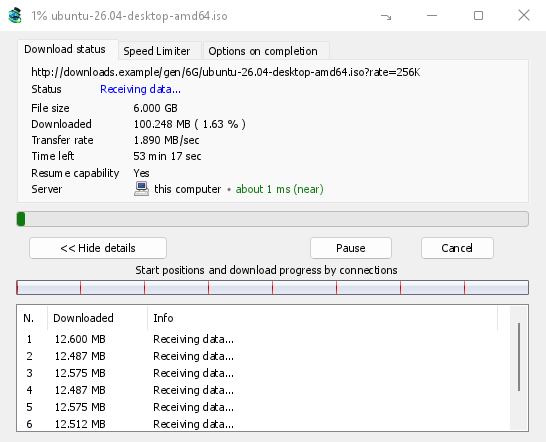
You can pause and resume downloads when the server supports it, set speed limits for individual files or for the entire app, and organize downloads into categories with their own destination folders. There’s also a scheduler. You can create a queue of large downloads and have MDM start it at night, for example, rather than using up your bandwidth while you’re working. MDM needs to be running for the schedule to start.
You can add URLs manually, import a text file full of links, or install the browser extension to hand downloads over to MDM. The extension is available for Firefox and Chromium browsers such as Chrome, Brave, Edge, Opera and Vivaldi. Version 0.5.2 also includes a Safari extension, although it requires macOS 14 or later and Safari 17 or later, and cannot intercept every type of download.
One thing to keep in mind with the browser extension is that it can pass your session cookies to MDM so you can download files from sites you’re signed into. You don’t need the extension if you prefer to paste links into the app yourself.
Videos, image galleries and torrents
If you’ve been using Parabolic because you’d rather not download videos through the Terminal, MDM has its own graphical interface for yt-dlp. Paste the address of a video, choose the quality and, if available, the subtitles you want to download. You can also download just the audio, select individual videos from a playlist, or queue the whole thing.
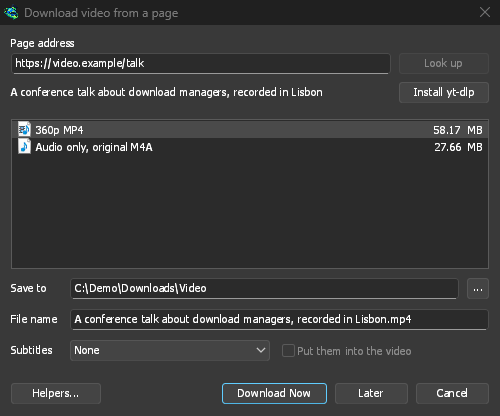
MDM uses FFmpeg to merge separate video and audio streams and convert audio. If you’ve already installed yt-dlp and FFmpeg to use them with MPV, you can point MDM to those copies instead of downloading them again.
Then there’s gallery-dl. Give MDM the URL of a supported image gallery and it can download its contents into a folder of their own. Another cool detail: you can resume a completed gallery download later to fetch only the pictures that aren’t already there. On macOS, you’ll need to install gallery-dl separately and select it in the Helpers window.
As for torrents, you can add a magnet link or a .torrent file, choose which files to download, manage seeding limits and use RSS feeds to automatically add matching torrents. All from the same app where you’re managing your other downloads.
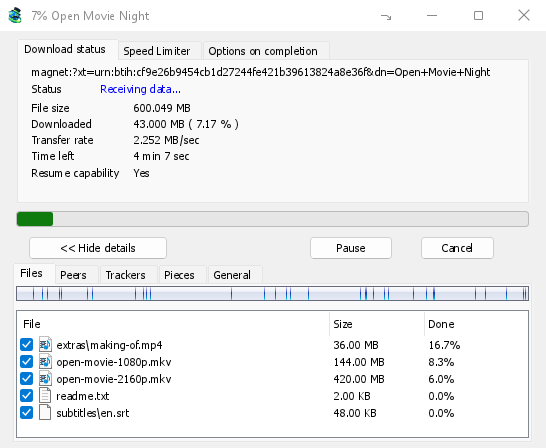
A few more things worth mentioning
MDM has a remote control feature that lets you pair your phone with the app and manage downloads from a browser on your local network. There’s also a headless mode if you’d rather have MDM running on a Linux server or NAS. No need to keep the desktop interface open on the server.
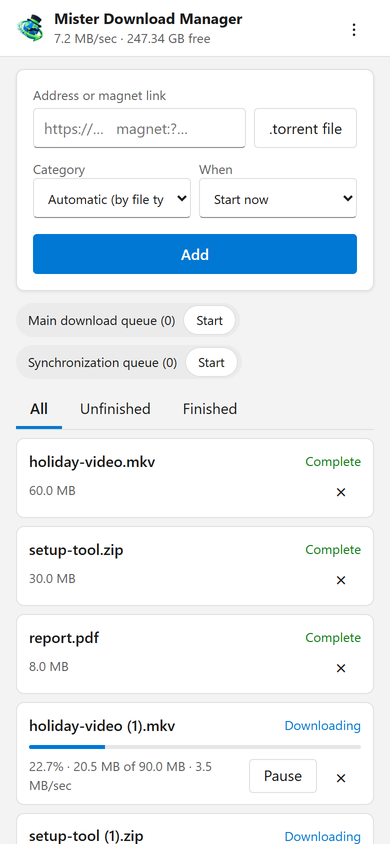
And if you’re the kind of person who spends more time customizing the look of an app than actually using it, MDM comes with a number of themes, including Luna and Aero. You can also make your own theme or import Base16 and pywal color schemes. Check out the themes page to see what they look like.
A word of caution about the current release, 0.5.2. Some websites that use bot protection can refuse downloads from MDM even when the same download works in your browser. There are improvements in development, but they haven’t shipped in this release. Also, if you explicitly disable proxies in MDM, its media helpers can still inherit proxy settings from the system or environment. See issues #668 and #1616 for details.
Mister Download Manager is free and open source (GPLv3). You can download it from the official website or check out the project on GitHub. It’s available for Windows 10 and 11, Linux and macOS 11 or later (Intel and Apple Silicon). The Windows installer is unsigned and the experimental Mac builds are not notarized. Check the published release checksums and bear those limitations in mind before installing.