
With practically every piece of software these days trying to sell you on some form of AI integration, it’s worth asking a simple question. Does it actually solve a problem?
Back in 2022, FSM switched from Google Analytics to Plausible Analytics. One of the reasons for making the switch was simplicity. You shouldn’t need hours of training or a collection of custom dashboards just to understand what’s going on with your website.
So why would you need AI for something that’s already easy to use?
Well, there’s a difference between looking up your stats and making sense of them. And this is where Plausible’s official MCP server gets interesting.
Affiliate promotion. FSMdotCOM may earn a commission.


What is Plausible MCP?
MCP stands for Model Context Protocol. Basically, it’s a way for AI assistants to connect to external tools and data sources.
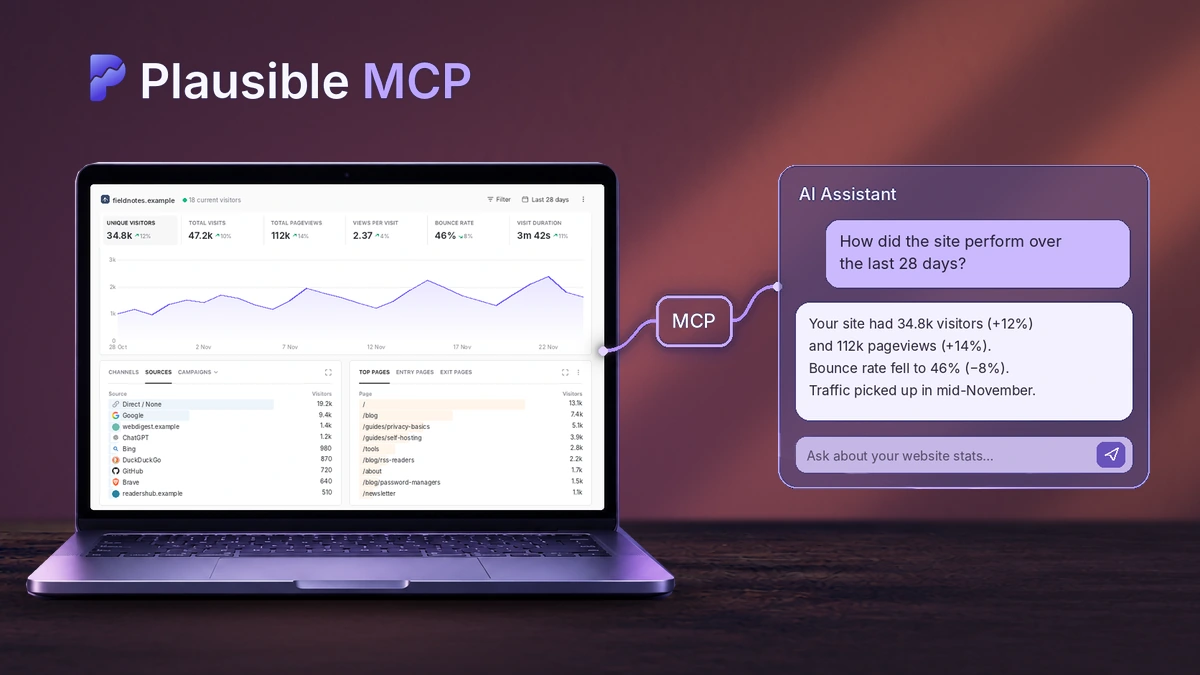
In this case, it allows you to connect a compatible AI assistant to your Plausible account and ask questions about your website’s analytics in plain English.
There are already community implementations that allow you to do this, including an MCP server developed by the Sentry team. However, Plausible’s official implementation is hosted by Plausible itself, uses OAuth for authentication and doesn’t require you to create an API key or run your own MCP server.
Under the hood, the official server exposes two tools:
list_sites: retrieves the websites you have access to within the authorized Plausible team.query_stats: retrieves analytics using the same query structure as Plausible’s Stats API.
Your AI assistant translates your questions into queries, retrieves the relevant statistics and uses the results to formulate an answer.
There’s no AI model running inside your Plausible dashboard, and there’s no new tracking script to install on your website.
What can you actually do with Plausible MCP?
Want to know how many people visited your website yesterday? Just open Plausible. There’s really no need to involve an AI assistant.
But let’s say your organic search traffic has dropped considerably over the past month. Now you need to figure out which pages lost visitors, which search engines account for the decline and whether the drop affected your conversions.
These are different questions that require different queries. And the answer to one might lead to several more.
Instead of manually working through the reports, you could start with something like this:
Compare organic search traffic for example.com across the last two complete calendar months. Break it down by search engine and identify the landing pages that gained or lost the most visitors. Show the original visitor counts and percentage changes.
Depending on the results, you could then ask the assistant to focus on a particular page, search engine or period.
Here are a few other examples:
Investigate unusual traffic
Investigate the increase in traffic to example.com over the past seven complete days compared with the previous seven days. Break it down by landing page, traffic source, browser and operating system. Separate what the data shows from possible explanations.
This could help you determine whether a traffic spike is associated with a particular article, referral source or unusual browsing pattern.
It won’t necessarily tell you why the spike occurred. That’s a separate question.
Find out which traffic sources drive conversions
Which traffic sources generated the most newsletter signups last month? Show the number of unique visitors who completed the signup goal, total goal completions and conversion rates for each source.
A source that sends thousands of visitors isn’t necessarily more valuable than one that sends a few hundred. It depends on what those visitors actually do on your website.
Of course, you’ll need to have the relevant conversion goals configured in Plausible before asking these questions.
Create a monthly analytics report
Create a report for example.com covering the last complete calendar month. Compare it with the previous calendar month, summarize traffic and conversion trends, and highlight significant changes. Include the actual reporting dates, metrics and filters used.
You could also ask your assistant to visualize the results or format them into a document. Plausible supplies the statistics. The assistant generates the report.
How to connect your AI assistant to Plausible
You’ll need a Plausible account and an AI assistant that supports remote MCP connections with OAuth authentication. This includes compatible versions of ChatGPT, Claude, Grok and Cursor.
The exact setup depends on the assistant you’re using, but the general procedure is the same:
- Open your AI assistant’s settings for adding custom MCP servers or connectors.
- Add the following server URL:
https://plausible.io/mcp- Sign in to Plausible when prompted, select the team you want to connect and authorize access.
- Make sure the connection is enabled in your conversation.
- Ask the assistant to list your available websites, then start asking questions about their analytics.
If you manage multiple websites or belong to multiple Plausible teams, make sure you’re authorizing the intended team and specify the website you want to analyze in your questions.
Guest access to an individual website isn’t sufficient. You need to be a member of the corresponding Plausible team.
For instructions specific to your AI assistant, check out the official Plausible MCP documentation.
Is Plausible MCP available on all plans?
Yes. The official MCP integration is included in all Plausible subscription plans at no additional charge. It’s also available during the free trial.
This is particularly interesting because you don’t need a Business subscription just to query your analytics through an AI assistant, even though direct Stats API access is a Business plan feature.
There are, however, limits on the number of requests:
- Starter: 300 requests per hour.
- Growth: 300 requests per hour.
- Business: 600 requests per hour.
- Enterprise: custom limits.
NOTE: These are requests, not questions. A single question could require several requests, particularly if you’re comparing different periods, pages and traffic sources.
The allowance is shared across the team’s MCP connections and API requests. Creating additional connections doesn’t increase your request limit.
Access to MCP also doesn’t unlock every feature available in the Plausible dashboard. Custom properties and revenue metrics still require a subscription that includes those features. Conversion funnels aren’t available through MCP.
And while Plausible includes MCP on all its plans, your AI assistant might have separate subscription or workspace requirements for custom connections.
What about privacy?
Plausible’s official MCP server provides read access to your analytics. Your assistant can retrieve statistics for the websites you’re authorized to access within the selected team, but it cannot change your website settings, create or delete goals, or modify your collected analytics data.
However, there’s something important to understand here. Just because the connection can’t modify your data doesn’t mean there are no privacy implications.
Plausible processes and stores visitor data on European infrastructure. When your AI assistant retrieves analytics from Plausible, the returned information is also shared with the provider of that assistant.
From that point on, the information is subject to that provider’s privacy policy, data retention practices and your account settings. It might also be processed outside Europe.
While aggregated analytics are different from individual visitor profiles, they can still contain sensitive business information. Revenue figures, conversion rates, campaign performance and custom property values aren’t necessarily information you want to share with another company.
You can review and revoke authorized connections in the Connected apps section of your Plausible account. Revoking access prevents future queries, but it doesn’t automatically erase information previously retrieved by the assistant.
Real data doesn’t guarantee correct answers
One more thing…
Connecting an AI assistant to a reliable data source doesn’t mean the assistant will always interpret that data correctly.
Visitors, visits and pageviews are different metrics. A click on an affiliate link isn’t necessarily a sale. A traffic spike isn’t necessarily bot traffic, and comparing half a month with a complete month could lead to some pretty misleading conclusions.
When asking questions, specify the website, reporting period and metrics you’re interested in. Ask the assistant to show the actual dates, filters and figures it used, and double check important findings against your Plausible dashboard.
The idea is to make investigating your analytics easier. Not to introduce another layer between you and your data that you have to trust blindly.
To learn more, check out the official Plausible MCP server page and documentation.