



Double-click a ZIP file in Finder and macOS usually extracts everything. That’s convenient when you need the entire archive. It’s less convenient when you only want one document, especially if that document is buried inside another archive.
MacPacker lets you browse an archive much like a folder, preview supported files and extract only the items you want. It can also open archives inside other archives, so you don’t have to unpack each layer just to find something.
The app is free and open source under the GPL version 3, developed by Stephan Arenswald. It works on Intel and Apple Silicon Macs running macOS 14.6 or later. As of November 23, 2026, the latest version listed in the project’s changelog is 1.3.0, released November 18.
Browse an archive instead of extracting everything
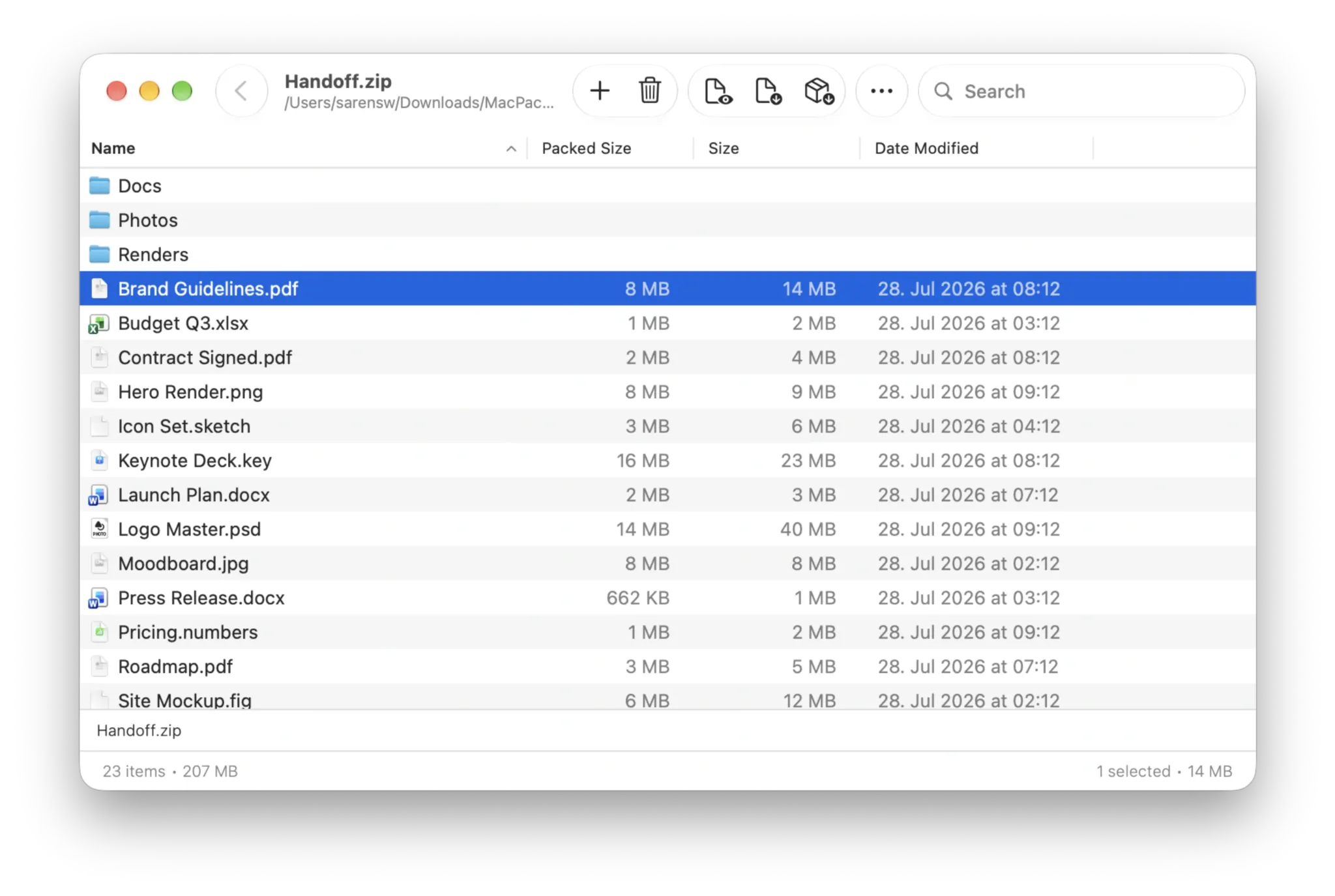
Open an archive with MacPacker and you’ll see its folders and files in a familiar browser. You can navigate through them, search for a name, sort the contents and decide what to extract. The app also supports keyboard navigation and Quick Look.
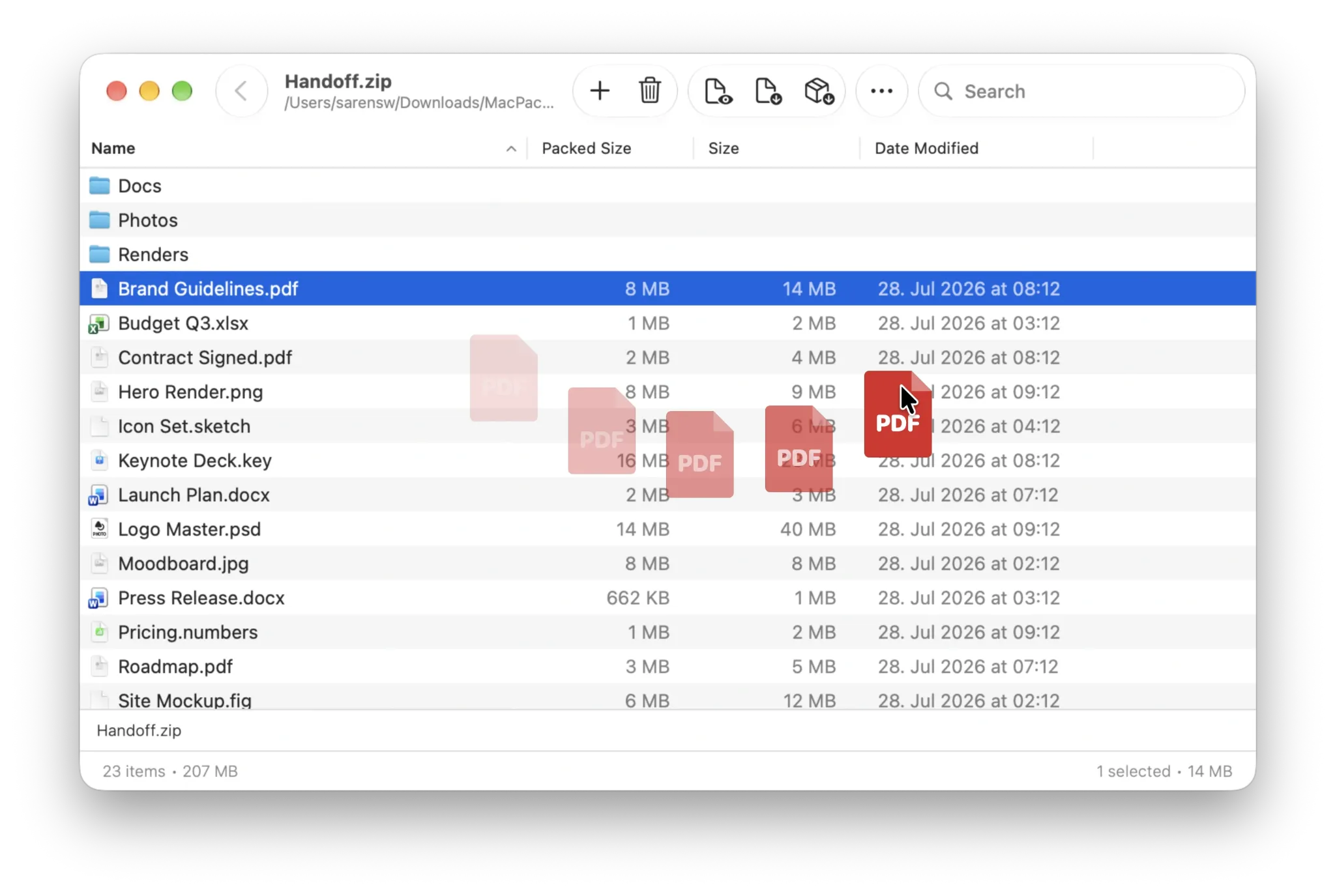
Say you downloaded a large collection of photos and project files but only need the included PDF instructions. You can locate that PDF and drag it into Finder without creating a second folder containing everything else. You can also extract a selection of files or the whole archive when that’s more useful.
There’s one technical distinction behind the convenient interface. Listing archive contents doesn’t require extracting the entire archive, but previewing an individual file may use a temporary extracted copy. This is different from promising that MacPacker never writes temporary data to disk.
Nested archives without the folder clutter
One of MacPacker’s more useful features is navigating nested archives. If a ZIP contains a 7z file, you can open that 7z file inside MacPacker and continue browsing instead of extracting the ZIP first and then extracting the 7z separately.
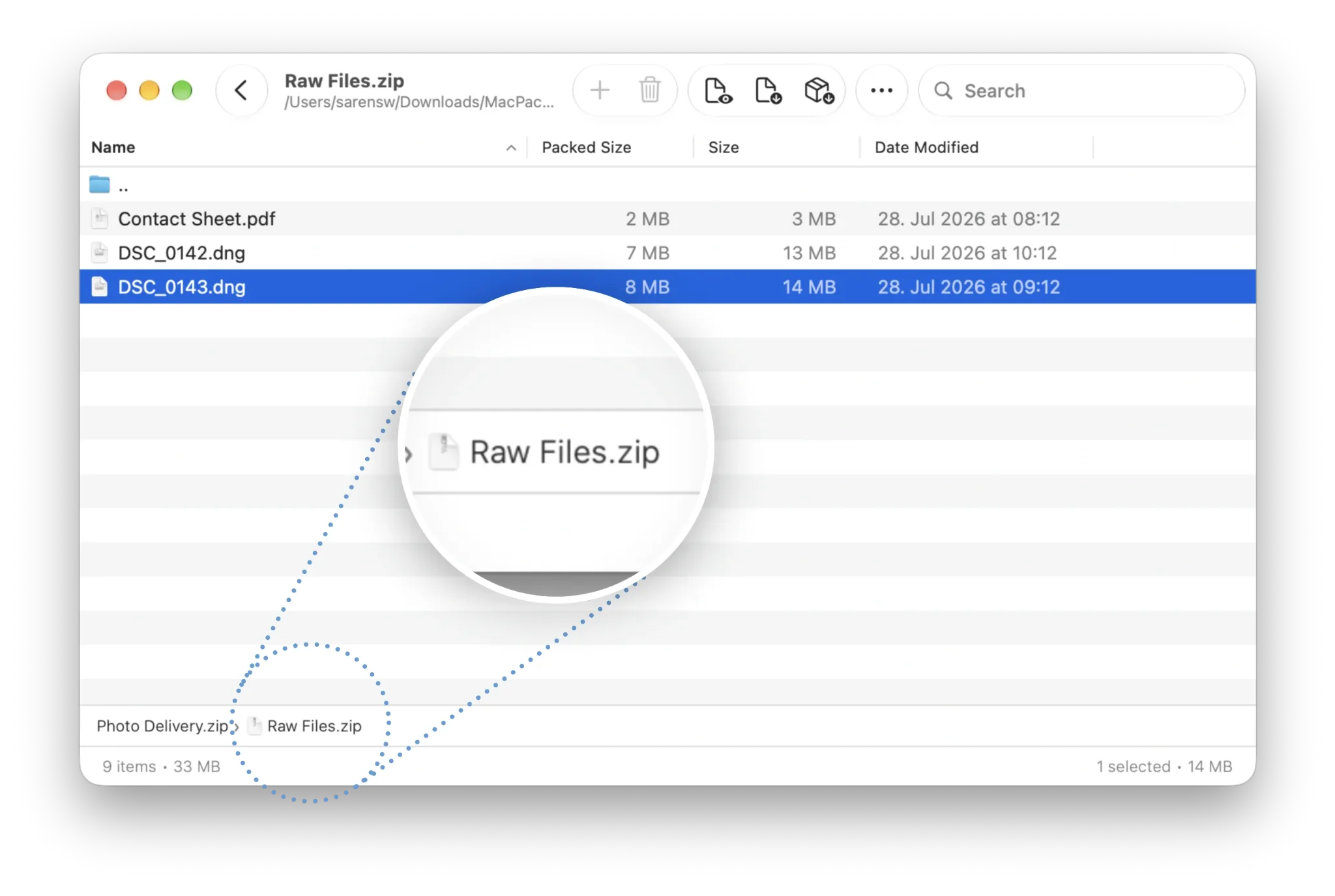
This is especially handy with software packages, backup collections and downloads that bundle several compressed files. The project also provides a Finder Quick Look extension, including previews for comic book archives, so you can inspect supported archive contents without first opening the main app.
Don’t confuse a preview or an integrity check with a security scan. An archive can be perfectly readable and still contain malicious software. Be cautious about opening executable files from an untrusted download.
Create and edit ZIP and 7z archives
MacPacker is no longer just an archive viewer. It can create both ZIP and 7z archives, including from Finder, and edit existing ZIP and 7z archives by adding, replacing or deleting files before saving the changes. The current project documentation also describes password protection and splitting newly created archives into volumes.
This is a significant improvement over older MacPacker descriptions, which covered ZIP editing but not 7z editing. It also means the difference between MacPacker and Keka isn’t simply that one creates archives and the other doesn’t.
Still, opening a format doesn’t mean MacPacker can write it. The official website lists 45 supported archive and disk image formats, including RAR, TAR, DMG, ISO and CAB. Most of those are for browsing or extraction, not creation or editing.
| Format | Documented MacPacker capability |
|---|---|
| ZIP | Browse, extract, create, edit and save. Password and split volume options are documented for archive creation. |
| 7z | Browse, extract, create, edit and save. Password and split volume options are documented for archive creation. |
| RAR | Browse and extract supported archives. RAR creation or editing is not advertised. |
| TAR and compressed tarballs | Browse and extract supported variants, including common compressed tarballs. |
| DMG, ISO and other supported disk images | Inspect and extract supported contents. This does not replace mounting an image where macOS requires it. |
For important archives, make a copy before experimenting with editing or saving. The developer also documents support for retaining macOS metadata such as Finder tags, permissions and symbolic links, but anyone relying on exact metadata preservation should verify it with their own files rather than assume every format behaves identically.
Finder integration and installation
MacPacker adds Finder actions for opening, extracting and compressing archives. You can also use Quick Look on supported archives. This makes it useful even if you don’t want to open the application every time you handle a ZIP.
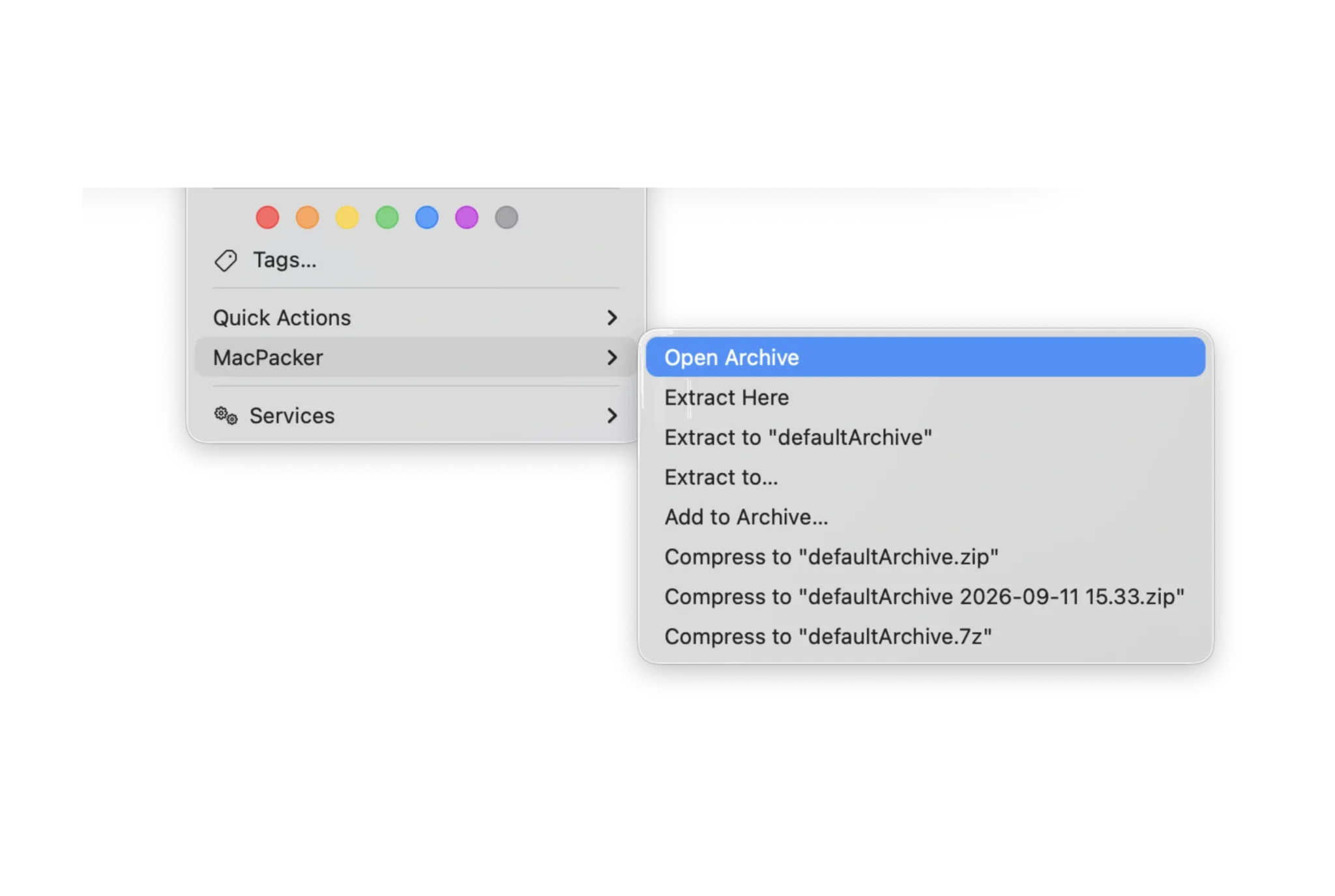
Get MacPacker from the official website, GitHub Releases or the Mac App Store. Homebrew users can install its cask with:
brew install --cask macpackerIf you’re unfamiliar with casks, the FSM Homebrew Starter Guide explains how to find, install and update Mac applications. App Store releases may arrive later than direct releases because of Apple’s review process.
MacPacker uses the macOS App Sandbox and may ask you to grant access to files or folders when you open, extract or save them. Its published privacy statement says it doesn’t collect personal or usage information. This is a documented privacy policy, not an independent network audit.
MacPacker, Archive Utility, Keka or The Unarchiver?
The built in Archive Utility is still the easiest option when you simply want to unpack a file. MacPacker is more interesting when you want to look around first.
| App | Where it fits best | What to consider |
|---|---|---|
| Apple Archive Utility | Basic ZIP creation and straightforward extraction through Finder. | No comparable archive browser for stepping into nested files and choosing a few items first. |
| MacPacker | Browsing and previewing nested archives, selective extraction, plus ZIP and 7z creation and editing. | Its broad list of readable formats is much larger than its list of writable formats. |
| Keka | Creating archives in more formats, with compression options, encryption and volume splitting. | Not primarily a browser for navigating nested archives. |
| The Unarchiver | Extracting a wide variety of archives, including RAR and older formats. | Primarily an extraction tool rather than an archive creator or editor. |
Keka can create more formats, including TAR and several compression types that MacPacker only reads. The Unarchiver remains a useful choice when you mainly want to unpack files, including on older versions of macOS. Neither reason disappears because MacPacker has gained 7z creation and editing.
Who should use MacPacker?
If you only extract the occasional ZIP, you probably don’t need another app. But if you regularly search inside downloaded archives, open archives nested several layers deep, or extract one file from a large collection, MacPacker addresses a very specific annoyance.
Its ZIP and 7z editing features make it more capable than a simple viewer, though Keka still has broader creation options. The best reason to install MacPacker remains its approach to archives: look inside first, then decide what to take out.